
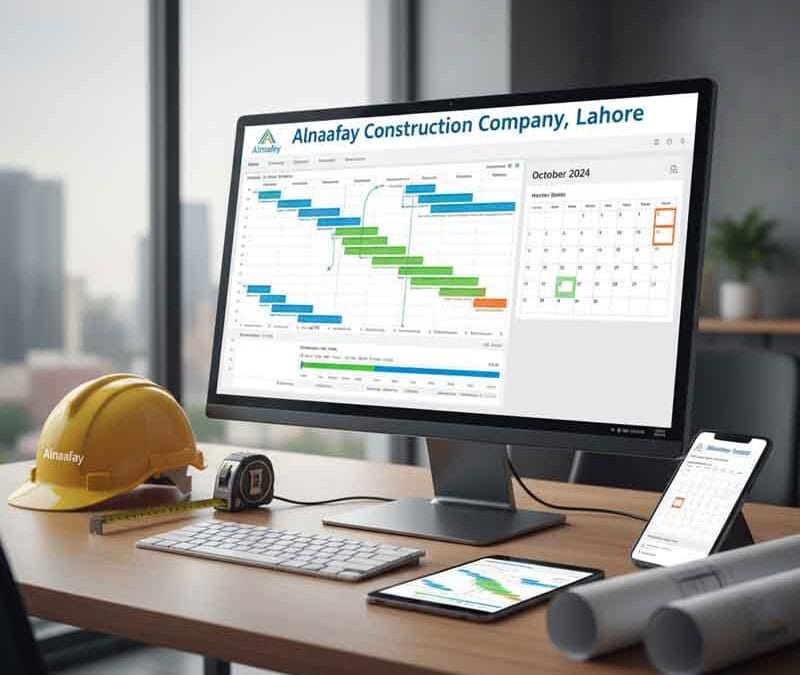
Tools for Project Timeline Management
Introduction
Time is the most precious resource in any business. Once it is gone, you can never get it back. Therefore, managing time effectively is the difference between success and failure. Whether you are building a skyscraper, launching a software product, or planning a wedding, you need a plan. This plan is your timeline. However, a timeline is useless if you cannot track it. This is where tools for project timeline management come into play.
In the past, project managers used paper calendars and sticky notes. Today, we have powerful software that can predict delays before they happen. These tools allow teams to collaborate in real-time, regardless of where they are located. But having a tool is not enough; you must know how to use it.
This comprehensive guide will explore the world of timeline management. We will discuss the must-follow rules for using these tools effectively. We will look at the massive benefits they bring to your organization. Furthermore, we will examine the different types of material options—from digital software to physical boards—and how environmental factors affect your choice. Finally, we will reveal which country is the global master of time management and what we can learn from them.
Must-Follow Rules for Effective Timeline Management
Buying expensive software will not solve your problems if your process is broken. To get the most out of your investment, you must adhere to specific rules. These principles ensure that your tools for project timeline management serve you, rather than you serving them.
Rule 1: Keep It Simple
Complexity is the enemy of execution. Many managers make the mistake of creating timelines with thousands of tiny tasks.
- The Problem: If updating the schedule takes more time than doing the work, your team will stop using the tool.
- The Solution: Focus on major milestones and deliverables. Break tasks down only as far as necessary to assign ownership. A simple, updated timeline is infinitely better than a complex, outdated one.
Rule 2: Update in Real-Time
A timeline is a living document. It is not something you create once and hang on the wall.
- The Reality: Projects change every day. A team member gets sick, a shipment is delayed, or a client changes their mind.
- The Rule: You must update your tools for project timeline management immediately when these changes occur. If your data is old, your decisions will be wrong. Consequently, successful managers schedule a daily or weekly time block specifically for updating the timeline.
Rule 3: Define Dependencies Clearly
Tasks rarely exist in isolation. You cannot paint the wall until you have built the wall.
- The Importance: Your tool must reflect these relationships. If you move the “Build Wall” task by two days, the “Paint Wall” task must automatically move by two days.
- The Practice: Always link tasks using dependencies (Finish-to-Start, Start-to-Start, etc.). This ensures that the impact of a delay is visible instantly across the entire project.
The Major Benefits of Using Timeline Software
Why should you invest money and training time into these systems? The return on investment is significant. Tools for project timeline management provide clarity in a chaotic world.
Improved Resource Allocation
One of the hardest parts of management is knowing who is doing what.
- The Benefit: Good tools show you if one person is overloaded while another is sitting idle. You can balance the workload to prevent burnout.
- The Result: This leads to a happier, more productive team. Additionally, it prevents bottlenecks where the whole project waits for one overworked person.
Early Warning of Delays
Bad news does not get better with age. You need to know about problems as soon as possible.
- The Mechanism: If a critical task is 10% behind schedule, the software will flag it in red.
- The Advantage: This gives you time to react. You can add more resources or adjust the scope before the final deadline is missed. Without tools for project timeline management, you might not realize you are late until the day before the launch.
Enhanced Communication with Stakeholders
Clients and executives want to know the status of the project. They do not want to read a 50-page report.
- The Solution: Most tools offer “dashboard” views. These are simple visual summaries of progress.
- The Impact: You can share a link with your client, and they can see exactly where the project stands. This transparency builds trust and reduces the number of “check-in” emails you have to answer.
Material Options: Digital vs. Physical Tools
When we talk about tools for project timeline management, we often think of computer programs. However, physical tools still have a place. The “material” of your tool affects how your team interacts with it.
Digital Software Solutions (The Modern Standard)
Cloud-based software is the industry standard for a reason.
- Examples: Microsoft Project, Asana, Monday.com, Jira, Smartsheet.
- Pros: Accessible from anywhere. Automates calculations. Handles complex dependencies. Stores infinite history.
- Cons: Requires internet access. Can have a steep learning curve. Monthly subscription costs.
- Best For: Complex projects, remote teams, and data-heavy industries like engineering or software development.
Physical Whiteboards and Kanbans (The Tactile Option)
Sometimes, low-tech is best. A large whiteboard in the office creates a shared reality.
- Materials: A magnetic whiteboard, sticky notes, markers, and tape.
- Pros: No login required. Impossible to ignore if it is in the break room. Very flexible; you can just draw a new column.
- Cons: Cannot be accessed remotely. No automatic backups. Hard to track history.
- Best For: Small, co-located teams, creative brainstorming, and manufacturing floors (Gemba boards).
Hybrid Approaches
Many successful teams use both.
- Strategy: Use digital tools for project timeline management for the detailed record-keeping and reporting.
- Strategy: Use a physical board for the daily stand-up meeting to foster quick collaboration.
- Benefit: This captures the best of both worlds: the power of data and the engagement of physical interaction.
Climate Suitability Considerations for Project Management
You might wonder, “How does the climate affect my choice of software?” For office workers, it doesn’t. But for construction, agriculture, and field operations, the environment is a major factor in selecting tools for project timeline management.
High-Glare and Bright Sunlight
If your project is outdoors (e.g., building a bridge), you cannot use a standard laptop screen.
- The Issue: Glare makes screens unreadable.
- The Tool: You need tablets with high-nit (brightness) displays or “e-ink” devices that are readable in direct sunlight.
- Physical Option: A physical clipboard or laminated chart is often superior to a screen in bright sun.
Wet and Rainy Environments
Electronics and water do not mix.
- The Risk: Using a standard iPad on a rainy job site is a recipe for disaster.
- The Tool: You need “ruggedized” devices with IP68 water resistance ratings. Alternatively, you need waterproof paper (Rite in the Rain) for physical timelines.
- Impact: If your tool breaks because it got wet, you lose your data. Therefore, the hardware housing your tools for project timeline management must match the climate.
Extreme Cold
Batteries die quickly in freezing temperatures. Touchscreens become unresponsive.
- The Challenge: A project manager in Alaska cannot take off their gloves to update a schedule on a phone.
- The Tool: Devices with physical buttons or styluses that work with gloves.
- Physical Option: Large printed Gantt charts pinned to the wall of a heated trailer are often the most reliable option in extreme cold.
Global Leader: Switzerland and the Culture of Precision
When we look for the country that has mastered the art of time, we look to Switzerland.
Why Switzerland is Famous for Time Management
Switzerland is world-renowned for its watchmaking industry. Brands like Rolex, Patek Philippe, and Omega are synonyms for precision. However, this obsession with time extends far beyond watches. It is embedded in the culture.
The Swiss Approach to Timelines
In Swiss business culture, punctuality is a virtue. If a train is scheduled to arrive at 10:02, it arrives at 10:02. If a meeting is set for an hour, it ends in exactly 60 minutes.
- Planning: The Swiss spend a significant amount of time in the planning phase. They believe that a realistic plan is better than an optimistic one.
- Execution: Once the timeline is set, they adhere to it rigorously. Deviations are analyzed and corrected immediately.
Lessons for the World
The lesson from Switzerland is that tools for project timeline management are only as good as the discipline of the people using them. You can buy the most expensive Swiss watch, but it won’t make you on time if you don’t look at it. Similarly, software won’t save a project if the culture does not value punctuality and planning.
Deep Dive: Gantt Chart Software
The Gantt chart is the grandfather of all timeline views. Invented by Henry Gantt in the early 1900s, it remains the most popular way to visualize time.
What is a Gantt Chart?
It is a bar chart where the horizontal axis represents time. Each task is a horizontal bar. The length of the bar shows how long the task takes.
- Visualizing Dependencies: Arrows connect the bars to show which task must happen first.
- Critical Path: The longest chain of dependent tasks is highlighted. This shows the shortest possible time to complete the project.
Best Gantt Tools
- Microsoft Project: The heavy hitter. It has every feature imaginable but can be complex.
- TeamGantt: A user-friendly, web-based option that makes beautiful charts.
- Instagantt: A powerful add-on for Asana that turns task lists into Gantt charts.
When to Use It
Gantt charts are essential for “Waterfall” projects where one step follows another logically (e.g., construction). They are excellent tools for project timeline management when the plan is relatively fixed.
Deep Dive: Kanban Boards
For teams that need more flexibility, the Kanban board is the tool of choice. Originating from Toyota’s manufacturing system, it focuses on flow rather than dates.
How It Works
A Kanban board has columns representing stages of work (e.g., To Do, In Progress, Done). Tasks are cards that move from left to right.
- Visualizing Flow: You can instantly see where work is piling up. If the “Testing” column has 20 cards and the “Coding” column has zero, you know where the bottleneck is.
- WIP Limits: You can set “Work In Progress” limits. For example, “We will only have 3 items in progress at once.” This forces the team to finish tasks before starting new ones.
Best Kanban Tools
- Trello: The most famous card-based tool. Simple, visual, and flexible.
- Jira: The standard for software development. It combines Kanban with powerful reporting.
- MeisterTask: A beautifully designed tool that integrates well with other productivity apps.
When to Use It
Kanban is perfect for “Agile” projects where priorities change frequently (e.g., software maintenance, marketing requests). While it is less focused on long-term dates, it is one of the most effective tools for project timeline management for daily execution.
Deep Dive: Calendar Views and Shared Schedules
sometimes, the best view is a simple calendar.
The Power of the Calendar
Everyone knows how to read a calendar. It is intuitive.
- Layering: You can layer different calendars on top of each other. For example, you can see the “Marketing” calendar and the “Sales” calendar on one screen to check for conflicts.
- Integration: Most tools sync with Outlook or Google Calendar. This means your project tasks appear right next to your meetings.
Best Calendar Tools
- Google Calendar: Simple, free, and ubiquitous. Great for high-level coordination.
- Outlook: The standard for corporate environments.
- Teamup: A specialized shared calendar for groups.
Limitations
Calendars are great for seeing “what is happening today,” but they are poor at showing dependencies. You cannot easily see that “Task B” is delayed because “Task A” moved. Therefore, they should be used as a supplementary view within your tools for project timeline management, not the only view.
The Role of Automation in Timeline Management
The future of timeline management is automation. Modern tools do the heavy lifting for you.
Automated Notifications
You should not have to email people to tell them a task is ready.
- The Workflow: When the designer marks “Design Complete,” the tool automatically notifies the developer that “Coding” can begin.
- The Benefit: This eliminates the “lag time” between handoffs.
Recurring Tasks
Many projects have repeating elements (e.g., “Monthly Report”).
- The Feature: You can set these tasks to recreate themselves automatically.
- The Benefit: You never forget a routine task, and you save time on data entry.
AI Predictions
Advanced tools for project timeline management use Artificial Intelligence.
- The Capability: The AI analyzes your past projects. It notices that “Task X” usually takes 5 days, even though you schedule it for 3.
- The Prediction: When you plan your next project, the AI warns you: “You are likely to be late on Task X.” This data-driven insight is invaluable.
Selecting the Right Tool for Your Team size
A tool that works for a startup will fail for a multinational corporation. You must match the tool to the team size.
Small Teams (1-10 People)
- Needs: Speed, simplicity, low cost.
- Recommendation: Trello, Asana (free version), or Basecamp.
- Reasoning: These teams communicate informally. They do not need complex reporting. They need a shared list.
Mid-Sized Teams (10-50 People)
- Needs: Structure, reporting, permissions.
- Recommendation: Monday.com, ClickUp, Smartsheet.
- Reasoning: At this size, you have middle managers. You need to be able to restrict who can edit what. You need dashboards to see progress across multiple departments.
Large Enterprises (50+ People)
- Needs: Integration, security, portfolio management.
- Recommendation: Microsoft Project Online, Jira Enterprise, Oracle Primavera.
- Reasoning: These organizations have strict security requirements. They need tools for project timeline management that can connect to their ERP or HR systems. They need to manage hundreds of projects simultaneously.
Implementation: How to Roll Out a New Tool
Buying the tool is the easy part. Getting people to use it is hard.
Step 1: The Pilot Group
Do not force the tool on everyone at once.
- Strategy: Pick one project or one small team to try it first.
- Goal: Identify the bugs and the best practices before the big rollout.
Step 2: Training
You cannot assume people are tech-savvy.
- Action: Hold training sessions. Create “cheat sheets.” Record video tutorials.
- Focus: Teach them why they are using it, not just how. Explain that these tools for project timeline management will make their lives easier, not harder.
Step 3: The “Burn the Ships” Moment
Eventually, you must cut off the old way.
- Action: Set a date. After this date, you stop accepting updates via email or spreadsheet.
- Rule: “If it is not in the tool, it does not exist.” This forces adoption.
Common Pitfalls to Avoid
Even with the best tools, you can fail. Watch out for these traps.
The “Set It and Forget It” Trap
We mentioned this before, but it bears repeating. A stale timeline is dangerous.
- Symptom: The timeline says the project is 50% done, but the team says it is 10% done.
- Consequence: Decisions are made based on fantasy.
The Micromanagement Trap
Some managers use these tools to spy on employees.
- Symptom: Requiring updates every hour. tracking bathroom breaks.
- Consequence: The team rebels. They will lie about their progress to get the manager off their back.
- Advice: Use tools for project timeline management to track work, not people.
The Integration Nightmare
If your timeline tool does not talk to your email or file storage, you create data silos.
- Symptom: Users have to download a file from one system and upload it to another.
- Consequence: Version control errors. Frustration.
Strategic Planning with Critical Path Method (CPM)
Most advanced tools rely on the Critical Path Method. Understanding this concept unlocks the power of the software.
Identifying the Critical Path
The critical path is the sequence of tasks that cannot be delayed without delaying the project.
- Software’s Role: Good tools for project timeline management calculate this for you automatically. They highlight these tasks in red.
- Manager’s Role: You must protect the critical path. If a task on this path is slipping, you must move resources from non-critical tasks to fix it.
Calculating Float (Slack)
“Float” is the amount of time a task can be delayed without hurting the project.
- Usage: Tasks with high float are low risk. You can deprioritize them if necessary.
- Visualization: Advanced tools show float as a thin line extending from the task bar.
The Human Element of Timeline Tools
Software is logical; humans are emotional. A timeline is a promise, and people fear breaking promises.
Psychological Safety
If you punish people for reporting delays, they will hide delays.
- Culture: You must create a culture where it is safe to say, “I am running late.”
- Tool Usage: Encourage people to update their status to “At Risk” early. Reward this honesty. It allows you to solve the problem.
Visualizing Success
Seeing a long list of completed tasks is motivating.
- Celebration: Use the reporting features of your tools for project timeline management to show how much has been achieved.
- Impact: This boosts morale and keeps the momentum going during the long middle phase of a project.
Budgeting and Cost Tracking Integration
Time is money. The best tools track both.
Resource Rates
You can assign an hourly rate to each user.
- Calculation: As they log hours against tasks, the tool calculates the labor cost.
- Benefit: You can see the “burn rate” of your budget in real-time alongside your timeline.
Forecasting
If the project is delayed by two weeks, how much will that cost?
- Analysis: Integrated tools can tell you. “A two-week delay will cost an additional $15,000 in labor.”
- Decision: This data helps you decide if it is worth paying for overtime to catch up.
Detailed Breakdown: Asana
Asana is a favorite for creative and marketing teams.
Key Features
- Timeline View: A drag-and-drop Gantt chart that is colorful and intuitive.
- Portfolios: A high-level view for executives to track multiple projects.
- Workload: A visual representation of how busy each team member is.
Why It Works
Asana focuses on “delight.” little animations (like flying unicorns) appear when you complete tasks. This gamification encourages users to engage with one of the most popular tools for project timeline management.
Detailed Breakdown: Microsoft Project
The titan of the industry. It has been around for decades.
Key Features
- Deep Scheduling Engine: It can handle thousands of tasks with complex dependencies.
- Baseline Tracking: You can save a snapshot of your original plan and compare it to reality.
- Customization: You can script custom reports and fields.
Why It Works
For construction and engineering, precision is non-negotiable. MS Project offers the granular control that these industries demand.
Detailed Breakdown: Jira
The king of software development.
Key Features
- Backlogs: A list of all future work that hasn’t been scheduled yet.
- Sprints: Two-week blocks of work.
- Burndown Charts: A graph showing how much work is left versus time remaining.
Why It Works
Software is unpredictable. Jira is built to embrace change. It is one of the essential tools for project timeline management for Agile teams.
Detailed Breakdown: Smartsheet
Ideally suited for those who love Excel but want more power.
Key Features
- Grid View: Looks exactly like a spreadsheet.
- Automation: Powerful “If this, then that” rules.
- Forms: Easy way to collect data from outside the team.
Why It Works
Because it looks like Excel, the learning curve is low. It bridges the gap between simple lists and complex project management.
Conclusion
The journey of a project is rarely a straight line. It is a winding path filled with obstacles, surprises, and changes. However, with the right tools for project timeline management, you can navigate this path with confidence. These tools provide the map, the compass, and the speedometer you need to reach your destination.
To recap, remember the rules: keep your timeline simple, update it constantly, and define your dependencies. Choose the tool that fits your team size and your environment, whether that is a sleek cloud app or a ruggedized tablet. Look to the Swiss culture of precision for inspiration.
Ultimately, a tool is only a multiplier. If your process is chaotic, a tool will just make the chaos faster. But if you have a disciplined team and a clear plan, these tools will amplify your efforts. They will turn a group of individuals into a synchronized machine. They will turn stress into strategy. Start evaluating your options today. Download a free trial, buy a whiteboard, or simply call a meeting to discuss your schedule. Take control of your time, before it takes control of you. The clock is ticking, but with the right tools, you are the one holding the watch.
Quick Links
Social Icons
Contact Us Information
443 J3 Johar Town Lahore near Expo Center Lahore
