
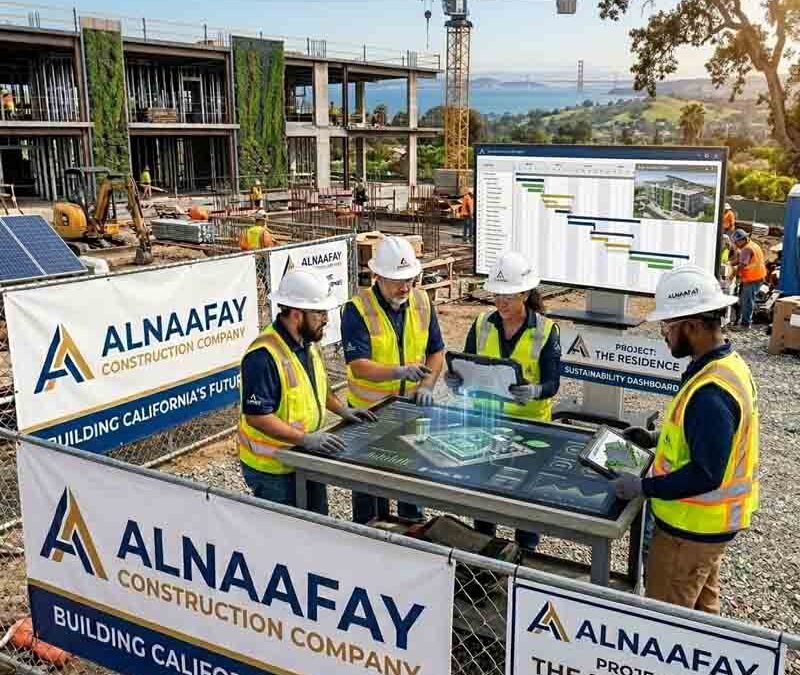
Top Project Management Software Tools for Construction Teams
Construction projects involve dozens of moving parts at once. You have budgets to control, schedules to hold, subcontractors to coordinate, and stacks of documents to track. When any one of those pieces slips through the cracks, the whole project suffers. That is exactly why project management software for construction teams has become a daily necessity rather than a nice-to-have.
In this guide, we walk through the best project management software tools for construction teams available today. We cover what these platforms do, the features that matter most, and how to pick the right one for your business. We also show how the right software helps you control problems like scope creep, which remains one of the most expensive risks on any job site. By the end, you will know exactly what to look for and which tools deserve a spot on your shortlist.
Table of Contents
- Introduction to Project Management Software for Construction Teams
- Why Construction Teams Need Project Management Software
- Key Features to Look for in Construction Project Management Software
- Top Project Management Software Tools for Construction Teams
- How to Choose the Right Construction Project Management Software
- Benefits of Using Project Management Software on a Construction Job Site
- Common Challenges and How Software Solves Them
- Conclusion
- Frequently Asked Questions
Introduction to Project Management Software for Construction Teams {#introduction}
Project management software for construction teams is a digital platform that helps you plan, coordinate, and track every part of a job from start to finish. It pulls your documents, tasks, schedules, and communication into one place. Instead of chasing information across emails, spreadsheets, and paper, your whole team works from a single, shared source of truth.
Construction has always lagged behind other industries when it comes to technology. For years, crews relied on paper plans, handwritten notes, and phone calls to keep projects moving. That approach worked, but it left plenty of room for error. A misplaced drawing or a missed message could cost thousands of dollars and days of rework.
Modern software closes those gaps. Today's tools connect the field and the office in real time, so everyone sees the same up-to-date information no matter where they are. As a result, decisions get made faster, mistakes get caught earlier, and projects stay on track. Throughout this article, we break down what these platforms offer and how to choose the one that fits your team.
Why Construction Teams Need Project Management Software {#why-construction-teams-need-it}
Construction projects are large, complex, and full of risk. A single commercial build can involve dozens of subcontractors, hundreds of tasks, and thousands of documents. Managing all of that with paper or basic spreadsheets is not just slow. It is dangerous for your budget and your timeline.
Consider the numbers. A KPMG global construction survey found that only 25% of construction projects finish within 10% of their original budget. Meanwhile, a joint study by Autodesk and FMI found that 52% of construction rework, costing the U.S. industry over $31 billion every year, is caused by poor project data and miscommunication. These are not small problems. They are the direct result of information that gets lost, delayed, or misunderstood.
Project management software for construction teams attacks these problems at the root. Here is what good software helps you do:
- Centralize information so plans, tasks, and messages live in one accessible place.
- Connect the field and office through mobile access that works even offline.
- Track progress in real time so you spot delays before they snowball.
- Reduce miscommunication by making sure everyone works from the latest plans.
- Document everything so you have a clear record when questions or disputes arise.
That last point deserves attention. Poor documentation drives one of the costliest problems in construction: scope creep. When work expands beyond the contract without proper records, budgets blow up and disputes follow. Software gives you the documentation backbone to keep that risk under control. We cover this connection in detail later in the guide.
Key Features to Look for in Construction Project Management Software {#key-features}
Not every platform offers the same tools, and more features do not always mean a better fit. The right construction project management software gives your team the capabilities they actually use, without burying them in complexity. Below, we break down the features that matter most.
Document Management
Construction projects generate enormous amounts of paperwork. Plans, drawings, permits, reports, and forms pile up fast. Good document management keeps all of it organized in one secure hub, with version control so your crew always works from the latest set. This single feature prevents one of the most common and expensive mistakes on a job site: building from an outdated drawing.
Task and Schedule Management
Every project lives and dies by its schedule. Look for software that lets you assign tasks, set deadlines, and track dependencies between activities. The best platforms send automatic alerts when something falls behind, so a small delay does not quietly turn into a missed milestone.
Mobile Access
Work happens on the jobsite, not behind a desk. Your software needs a strong mobile app that field crews can use from any device, ideally with offline access for areas with poor signal. When the field and office share the same live information, miscommunication drops sharply.
Communication and Collaboration
Better communication means fewer mistakes. Strong platforms tie messages directly to tasks and drawings, so a comment never gets separated from the work it describes. Centralized notifications keep everyone informed without endless email chains.
Budgeting and Cost Management
Money needs constant oversight on any build. Cost management tools give you full visibility into every dollar, connect budget data to your schedule, and improve forecasting. With clear cost tracking, you catch overruns while you can still do something about them.
Change Order Management
Changes are inevitable on a construction project. The question is whether you document them properly. Look for software that handles change orders with digital forms, automatic cost and time calculations, and electronic signatures. This feature is your first line of defense against scope creep, since it turns informal requests into binding, documented agreements.
Reporting and Analytics
Your project data is only useful if you can read it. Reporting tools turn raw activity into clear insights, letting you track budget, schedule, and safety performance. The best platforms help you spot trends and red flags early, before they become full-blown problems.
Integration Capabilities
Your tools should talk to each other. Software that connects with your accounting or ERP systems lets financial data flow automatically between platforms. As a result, you reduce manual data entry, cut down on errors, and get a complete financial picture faster.
Top Project Management Software Tools for Construction Teams {#top-tools}
Now we get to the heart of the guide. Below are the leading project management software tools for construction teams, each with its own strengths. We cover what each one does best, its key features, and the type of team it suits. Use this section to build a shortlist that matches your needs.
1. Procore
Procore is one of the most widely used construction management platforms on the market. It centralizes project coordination, financials, and documentation across every phase of a build, from preconstruction through closeout. Because it covers so much ground, it is a common choice for mid-sized and large organizations managing complex projects.
Key features:
- Document management
- RFIs and submittals
- Budgeting and cost tracking
- Scheduling tools
- Reporting and analytics
Best for: End-to-end project management for mid-sized to large construction teams.
The main tradeoff is complexity. Procore's broad feature set carries a steeper learning curve and a higher price than lighter tools. Pricing is custom, based on company size and project volume, and there is no free plan. For teams that need a true all-in-one platform, however, the depth is hard to beat.
2. Autodesk Forma (formerly Autodesk Construction Cloud)
Autodesk Forma connects design and construction workflows in a single, unified platform. It has ranked as G2's top construction project management solution for several quarters running, in large part because it bridges the gap between office planning and field execution. Teams already working with Autodesk products will find it an especially natural fit.
Key features:
- Document and model management (BIM)
- RFIs and submittals across the project lifecycle
- Issue tracking and coordination
- Field data capture
- Advanced analytics
Best for: Teams managing BIM workflows and design-to-build coordination.
The platform's full value often depends on adopting multiple Autodesk tools, which can raise both cost and complexity. That said, the BIM integration is a genuine standout, and you can start with a free 30-day trial of Forma Build Essentials to test it before committing.
3. Fieldwire
Fieldwire is a jobsite management platform built for the field first. It helps construction teams coordinate tasks, track progress, and access up-to-date plans from anywhere. Its strength lies in how naturally it fits into existing workflows, connecting field and office crews through a simple, practical interface.
Key features:
- Plan viewing and version control
- Task tracking and management
- Inspections and punch lists
- Custom forms and reports
- Real-time messaging on plans and tasks
Best for: Task management and jobsite coordination across field teams.
Fieldwire is easy to adopt, offers reliable offline access, and gets teams onboarded quickly. It is less suited to heavy preconstruction work or advanced scheduling. Pricing includes a limited free plan, with paid plans starting at $44 per user per month.
4. Buildertrend
Buildertrend is tailored for residential builders and remodelers. It pairs core project management with strong client communication tools, which makes it a favorite among home builders and specialty contractors. Its client-facing portal improves transparency and keeps homeowners in the loop throughout the build.
Key features:
- Scheduling and project timelines
- Budgeting and financial tracking
- Client communication portal
- Document and file sharing
- Change order management
Best for: Residential construction and client communication.
The platform's user-friendly interface makes scheduling and budgeting straightforward. It is less suited to large commercial projects with complex coordination needs. Pricing starts at around $99 per month, and a demo is available before you buy.
5. Raken
Raken focuses on field reporting and daily jobsite tracking. It makes it easy for crews to capture and share updates from the field, with a strong emphasis on usability. If your biggest gap is daily reporting and site visibility, Raken closes it without overwhelming your team.
Key features:
- Daily reports
- Time tracking
- Photo and video capture
- Production tracking
- Safety and quality checklists
Best for: Field reporting and daily jobsite tracking.
Raken's mobile experience is excellent, and its reporting workflows are simple to follow. It is not a full project management suite, and its financial tools are limited. Subscription pricing starts at around $15 per user per month, with a free trial available.
6. Contractor Foreman
Contractor Foreman packs a wide range of features into an affordable package. It includes project management, financial tracking, estimating, and compliance tools, which makes it a practical all-in-one option for smaller firms. For teams that want broad capability without a large budget, it delivers strong value.
Key features:
- Project and task management
- Time tracking
- Estimates and invoicing
- Safety and compliance tools
- Document management
Best for: Small to mid-sized contractors looking for an all-in-one solution.
The breadth is impressive, though the interface can feel dense and the full feature set takes time to learn. Pricing is subscription-based, and a free trial lets you try it first.
7. Smartsheet
Smartsheet is a highly customizable platform that brings people, processes, and data together in one place. Although it is not construction-specific, its no-code flexibility makes it a strong fit for managing both large capital projects and everyday tasks. You can shape it to match almost any workflow.
Key features:
- Gantt, grid, calendar, and Kanban views
- Task assignment and dependencies
- Workflow automation
- Access controls and approval workflows
- Integrations with Microsoft Teams and Google Workspace
Best for: Teams that need a flexible, customizable project management environment.
Smartsheet's strength is adaptability, which appeals to teams that want to design their own systems. Because it is general-purpose, it lacks some construction-specific features like RFIs or BIM out of the box. It works best for office-based coordination and cross-department collaboration.
8. Bluebeam
Bluebeam is a document and drawing management tool built around PDF workflows. Architects, engineers, and contractors rely on it to review drawings, create markups, and collaborate on documents in real time. Its precision during design review and coordination phases is hard to match.
Key features:
- PDF creation and editing
- Drawing markups and annotations
- Real-time collaboration through Bluebeam Studio
- Document organization
- Measurement and takeoff tools
Best for: Drawing review, markups, and document collaboration.
Bluebeam excels at precise markups and measurements. However, it is not a full construction management platform, since it does not handle scheduling, task tracking, or financials. Many teams use it alongside a broader tool. Pricing is subscription-based, with a free trial available.
How to Choose the Right Construction Project Management Software {#how-to-choose}
With so many strong options, picking the right platform can feel overwhelming. The good news is that the decision comes down to a handful of clear factors. We recommend weighing each one against your specific situation before you commit.
Match the Software to Your Business Size
Your software should scale with you. Smaller firms usually prioritize simplicity and affordability, while larger companies need advanced capabilities like multi-project tracking and workforce forecasting. Be honest about your current needs, but also plan for the business you are building toward.
Consider Project Size and Complexity
The scope of your work shapes the tools you need. If you juggle multiple subcontractors, phases, or locations, you will benefit from robust scheduling, communication, and document management. Simpler projects, by contrast, may run smoothly on a lighter platform.
Prioritize Ease of Implementation
Technology that is hard to adopt simply will not get used. The construction industry has long relied on paper, so any new tool needs to be simple and clearly valuable to earn buy-in. Look for intuitive interfaces, strong onboarding support, and clear training resources so your crew can get going without major disruption.
Check Compatibility With Your Existing Tools
Avoid creating data silos. The best construction project management software integrates with the systems you already use, especially accounting and ERP platforms. When data flows automatically between tools, you save time and cut down on costly entry errors.
Weigh Cost Against Value
Do not focus on the price tag alone. Instead, look at what you get in return. A platform that reduces rework, improves collaboration, and lowers risk can pay for itself many times over. A slightly higher upfront cost often delivers a far greater return through faster, smarter project delivery.
Take Advantage of Free Trials
Before you commit, test the software in real conditions. Many platforms offer free trials or demos, and these let your team confirm whether the tool fits your workflows. We strongly recommend running a trial on an active project so you see how it performs under real pressure.
Benefits of Using Project Management Software on a Construction Job Site {#benefits}
The advantages of project management software for construction teams show up across every part of a build. When you connect your people, plans, and data, the whole operation runs tighter. Here are the benefits that matter most.
Better Visibility From Field to Office
Software gives everyone a clear view of what is happening on-site at any moment. Project managers monitor progress, communicate issues directly on plans, and access the latest information from any device. This visibility supports faster, data-driven decisions and keeps small issues from growing into big ones.
Fewer Mistakes and Less Rework
Rework drains money and time, and most of it traces back to bad data and miscommunication. By keeping everyone on the latest plans and tying communication to specific tasks, software cuts those errors sharply. The result is higher quality work and a healthier bottom line.
Faster Communication
When messages, drawings, and tasks live in one place, communication speeds up dramatically. Instead of digging through email threads, your team finds what they need in seconds. One Fieldwire customer reported saving up to an hour per user every day simply by reducing back-and-forth trips between the field and office.
Stronger Documentation and Protection
Documentation is the foundation of every successful project. Software creates an automatic record of decisions, changes, and communications, which protects you when questions or disputes arise. This is especially powerful for managing change orders, where a clear paper trail can mean the difference between getting paid and absorbing a loss.
Tighter Budget Control
With cost data connected to your schedule and updated in real time, you always know where your money stands. You catch overruns early, forecast more accurately, and make decisions based on facts rather than guesses. Over the life of a project, that control adds up to real savings.
Common Challenges and How Software Solves Them {#common-challenges}
Even the best-run construction projects face recurring problems. The encouraging news is that project management software directly addresses many of them. Below, we pair the most common challenges with the way software solves each one.
Challenge: Scope Creep
Scope creep is one of the most expensive problems on any construction job site. It happens slowly, through small changes that seem harmless at first. An owner sends an email about a minor tweak. A project manager directs a subcontractor to finish one extra task. Each change seems small on its own, but together they blow budgets, wreck schedules, and strain client relationships.
The numbers confirm how serious this is. Research in HKA's CRUX Insight Report identified scope change as the top cause of claims and disputes on 38.8% of construction projects worldwide. Meanwhile, the 2025 Arcadis Construction Disputes Report found that the average value of a construction dispute in North America reached $60.1 million, with an average resolution time of 12.5 months.
How software solves it: The root cause of scope creep is almost always work that grows beyond the contract without proper documentation. Software attacks that root directly. Change order tools turn informal requests into signed, documented agreements before any extra work begins. A digital change order log gives you a real-time view of how cumulative changes affect the contract, so you spot creep before it spirals. Centralized communication ensures every stakeholder works from the same updated information rather than conflicting versions. Together, these tools give you the documentation backbone that keeps scope under control.
Challenge: Miscommunication Between Field and Office
Disconnected teams make costly mistakes. When the field and office work from different information, crews build from outdated plans and managers make decisions based on stale data.
How software solves it: Mobile access and real-time updates keep both sides in sync. A comment made on a drawing in the office appears instantly on the tablet in the field. Because everyone shares one live source of truth, the gaps that cause errors simply close.
Challenge: Lost or Outdated Documents
A single misplaced drawing can trigger expensive rework. Paper-based systems make this far too easy.
How software solves it: Centralized document management with version control ensures your crew always pulls the latest set. Old versions are clearly marked, and the current plan is never more than a few taps away.
Challenge: Blown Budgets
Cost overruns sink profitability, and they often go unnoticed until it is too late.
How software solves it: Real-time cost tracking connects your budget to your schedule and flags overruns early. With clear forecasting and live financial data, you make adjustments while you still can.
Challenge: Schedule Delays
Delays ripple across an entire project, idling crews and pushing back every downstream task.
How software solves it: Scheduling tools track dependencies and send automatic alerts when a task falls behind. By catching delays early, you protect your milestones and keep the whole project moving.
Conclusion {#conclusion}
Construction is too complex and too costly to manage with paper and guesswork. The right project management software for construction teams pulls your documents, schedules, budgets, and communication into one place, then keeps every stakeholder working from the same live information. That single change prevents the errors, delays, and disputes that quietly drain so many projects.
The lesson from project after project is clear: teams that document everything, communicate transparently, and track every change are the teams that finish on time and on budget. Software gives you the backbone to do exactly that. It controls scope creep, cuts rework, speeds up communication, and tightens your budget control all at once.
Start by defining what your team actually needs, then weigh the tools in this guide against those needs. Whether you choose a full-suite platform like Procore or Autodesk Forma, a field-first tool like Fieldwire or Raken, or a flexible option like Smartsheet, the goal is the same. Put the right system in place now, and you will keep your projects on time, on budget, and out of court. Take advantage of a free trial, run it on a real project, and see the difference for yourself.
Frequently Asked Questions {#faq}
What is construction project management software?
Construction project management software is a digital platform that helps teams plan, coordinate, and track construction projects. It centralizes key workflows such as document management, task tracking, communication, and reporting. As a result, it improves visibility across both the jobsite and the office and keeps everyone working from the same information.
How does project management software improve jobsite efficiency?
It reduces the time spent searching for information, minimizes miscommunication, and ensures everyone works from the latest plans. By centralizing updates and enabling real-time collaboration, teams identify and resolve issues much faster. One customer even reported saving up to an hour per user every day.
Is project management software suitable for small contractors?
Yes. Many tools are designed specifically for small and mid-sized contractors, with simpler interfaces and scalable pricing. Options like Contractor Foreman and Raken help smaller teams improve organization and efficiency without adding unnecessary complexity or cost.
Can construction project management software integrate with accounting or ERP systems?
Many platforms offer integrations with accounting and ERP tools, which lets financial data sync with project data. This reduces manual entry, improves accuracy, and gives teams a clearer view of project costs and performance. Always confirm that a tool supports your specific accounting system before you buy.
How does software help control scope creep?
Software controls scope creep by attacking its root cause: undocumented changes. Change order tools turn verbal or informal requests into signed agreements before work begins. A digital change order log tracks the cost and schedule impact of every change in real time. Centralized communication then keeps every stakeholder aligned, which makes it far harder for unauthorized work to slip through.
How much does construction project management software cost?
Pricing varies widely. Some tools, like Raken, start around $15 per user per month, while Fieldwire's paid plans begin at $44 per user per month. Buildertrend starts near $99 per month, and platforms like Procore and Autodesk Forma use custom pricing based on company size and project scope. Most providers offer a free trial or demo so you can test value before committing.
What is the best project management software for construction teams?
There is no single best tool, because the right choice depends on your needs. Procore and Autodesk Forma suit large teams managing complex projects. Fieldwire and Raken excel at field coordination and reporting. Buildertrend fits residential builders, while Smartsheet offers flexible, customizable workflows. We recommend matching the platform to your business size, project complexity, and existing tools, then running a free trial before you decide.
